Picture this: You’re rushing through your morning commute, coffee in hand, only to hit that mid-afternoon slump at your desk. Head pounding, focus shot—classic dehydration sneaking up on a screen-stuffed day. I know that fog all too well; last year, I ditched the water-tracking apps that just cluttered my phone during endless meetings.
Instead, I leaned into simple bottle hacks that fit my tiny apartment counter and chaotic desk setup. No more mental math or guilt trips. These effortless tricks turned sipping into a no-brainer, and they can for you too—especially if you’re juggling late dinners and small spaces.
Let’s cut the overwhelm. I’ll walk you through visual cues, kitchen tweaks, and phone nudges that track your intake automatically. Ready for hydration that sticks without the hassle?
Ditch the Mental Math: Why Visual Cues Beat Apps Sometimes
Counting ounces in your head? That’s a recipe for forgetting by lunch. Visual cues shift the work to your environment—your bottle markings or fridge setup do the tallying.
I used to obsess over apps during my subway rides, but they drained my battery more than my thirst. Now, a simple marked bottle reminds me effortlessly. It’s perfect for forgetful mornings when you’re out the door with barely a glance at your phone.
Pros stack up fast: No charging issues, zero data entry, and they play nice with urban chaos like desk clutter or shared kitchens. Your space becomes the tracker. Who knew?
Kitchen and Desk Hacks That Tally Your Sips Automatically
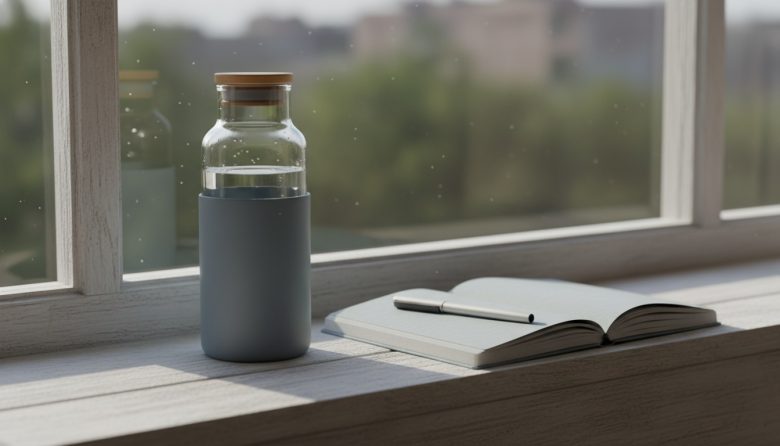
Start with your go-to bottle—grab a marker or pre-marked one from the store. Fill to the first line by breakfast, second by noon. It lives on your desk or counter, staring you down guilt-free.
In a small apartment? Swap your water jar for an infuser version—cucumber slices make it tempting without effort. Or tape a simple chart inside your fridge door: check off glasses as you grab them during late-night fridge raids.
Desk warriors, try a wide-mouth tumbler with time-stamped tape levels. Sip between emails, watch the levels drop. These hacks auto-track because they’re in your sightline—no apps needed.
Phone Smarts That Nudge Without the Hassle
Your phone’s built-in reminders are gold for commute hydration. Set recurring pings: “Sip now” at 10 a.m., linked to your water emoji. Widgets on your home screen show progress bars—no opening apps.
Overhaul your lock screen with a water tracker widget; it glances back at you during scroll sessions. Pair it with fitness trackers you already wear—they sync intake logs seamlessly if you tap once post-refill.
For urban hustles, use voice nudges: “Hey Siri, log water.” It fits hands-free subway sips or desk multitasking. Low-effort tech that feels custom-built for your day.
| Method | Setup Time | Daily Effort | Best For |
|---|---|---|---|
| Marked Bottle | 2 minutes | Refill glances | Desk workers, small apartments |
| Reminder Widget | 5 minutes | Tap to log | Screen-heavy days, commutes |
| Infuser Jar | 3 minutes | Flavor refills | Late dinners, plain water haters |
| Smart Bottle Sync | 10 minutes | Auto-detects | Fitness tracker users |
| Fridge Door Chart | 1 minute | Check-off marks | Shared kitchens, forgetful evenings |
This table lets you scan and pick what matches your routine—no deep reading required. Spot the low-setup winners first.
Quick Tips: 5-7 Everyday Wins
- Color-code your bottle lines with sharpies: green for morning goal, blue for afternoon—visual pop for busy eyes.
- Link sips to coffee breaks; chug water before your next brew to reset without thinking.
- Tuck a mini bottle in your bag for commutes—pre-marked for subway sips.
- Freeze half your bottle overnight; it thaws slowly, nudging steady intake at your desk.
- Stack it with meals—consider simple tips for mindful eating practices to pair hydration hits.
- Use fridge magnets as intake counters; flip one per glass during small-apartment evenings.
- Try a tumbler sleeve with built-in measurer—slips over any bottle for instant tracking.
For Busy Days: The Ultra-Simple 2-Minute Routine
Crazy schedule? Grab one 32-oz bottle. Fill it first thing in the morning—set it by your desk or bag.
Sip as you go; empty by evening means you’re golden. No apps, no charts—just visual empty-or-not.
Commute fallback: Gulp half on the train, rest at lunch. Late night? One bedside chug. Two minutes total, zero stress.
Make It Sustainable: Repeat Without the Drag
Pair tracking with unbreakable routines—like brushing teeth or checking email. Water bottle joins the flow automatically.
Weekly reset: Sunday night, remark faded lines or swap bottles. Tweak for seasons—infusers in summer, warm mugs in winter for small spaces.
For screen marathons, blend in a mindful breathing plan for daily stress relief; deep breaths prompt sips. Or tie to walks with how to stay consistent with walking goals—hydrate pre-stride.
Commit to that 2-minute fallback daily. Watch it stack into weeks without burnout. You’ve got this—small sips, big reset.
FAQ
What if I work from a tiny desk with no space for bottles?
Go digital-first with a phone widget that lives on your home screen. Or snag stackable mini bottles—they nest like magic in drawers. Sip from a mug with pre-measured lines; it blends into coffee rotations seamlessly.
Do I need a fancy smart bottle?
Nope—start with free phone hacks like widgets or voice logs. They sync with most wearables without extra gear. Save the splurge for later if basic cues click first.
How much water is enough for screen-heavy days?
Aim for half your body weight in ounces as a baseline—say 75 oz for 150 lbs. Add more if you’re caffeinated or air-conditioned. Personalize by urine color: pale yellow wins.
What if I hate plain water?
Infuse low-effort: lemon slices or berries in your jar—refresh every other day. Try sparkling cans with intake marks. Or herbal tea counts too; rotate flavors to keep desk pulls exciting.
Can I track with wearables I already own?
Absolutely—most like Apple Watch or Fitbit have water log buttons. Quick swipe post-refill, it tallies daily totals. Link to phone apps for commute views; setup takes under five minutes.